


Spider Solitaire: Card Games
4.684.76K Reviews
App Specs
- Version
- 7.8.4.4988
- Updated On
- License
- Free
- Downloads
- 50,000,000+
- Developer
- MobilityWare
- Categories
- Card
- Platform
- Android, iOS
Screenshots
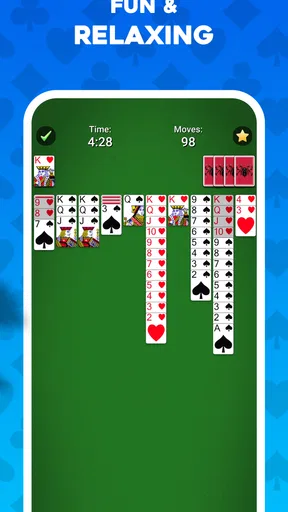
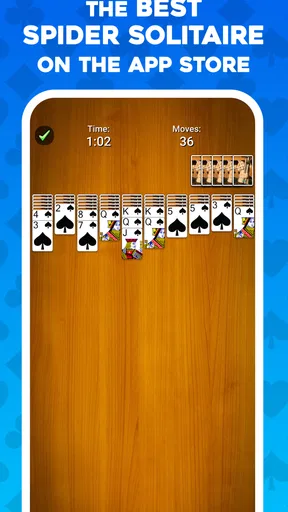

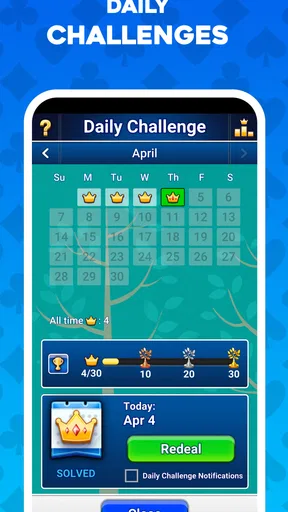
 Analysis by AppCompare
When I want a card game that lets me pause and think rather than race a timer, I tend to reach for Spider Solitaire. This version from MobilityWare is a familiar kind of mobile pastime: deal the cards, work toward complete sequences, and decide whether one more move is worth the risk of making the layout harder. It suits short breaks, but a tricky board can also hold my attention for much longer than I expected.
Who will enjoy this kind of patience
I’d recommend it most to people who already like solitaire or want a quiet, turn-based game they can play at their own pace. Spider’s main appeal is not a story or a stream of new challenges; it is the repeated puzzle of keeping useful cards available while gradually uncovering the columns. If you enjoy weighing a move before making it, that small decision loop can be satisfying even when you only have a few minutes.
It is less suited to someone looking for a fast competitive match, a social card table, or a game that constantly changes its rules. The basic pleasure comes from the same familiar task each time, and that repetition is a feature for some players and a limitation for others. I would skip it if I needed frequent novelty to stay interested.
A practical way to fit a game into the day
For me, the best everyday use is a short idle stretch: waiting for an appointment, taking a quiet lunch break, or winding down before bed. I can make a few moves, pause to consider the layout, and return to the same sort of focused play without needing to follow a plot or remember a complicated control scheme. It is also easy to stop when the moment ends, although a nearly cleared board can tempt me to keep going.
A useful habit is to treat each move as a choice between immediate progress and preserving options. Before placing a card, I look at whether the move exposes a hidden card, opens a column, or simply shifts a problem elsewhere. That quick check matters more as the game gets harder. When I am learning, I prefer to take a moment after each deal rather than tap through moves quickly; Spider rewards planning more than speed.
Getting Started with Spider Solitaire
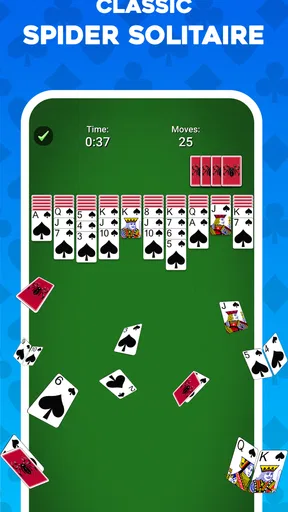
First things first, downloading Spider Solitaire: Card Games is a breeze. Whether you're an Android enthusiast or an iOS devotee, you'll find it available for download on both platforms. Once installed, you're greeted with a sleek and minimalist interface that's easy to navigate. No clutter, no fuss—just straight-up card game goodness.
The Gameplay Experience
Now, if you're familiar with solitaire, you know the drill: arranging cards in sequence, alternating colors, and all that jazz. But Spider Solitaire kicks it up a notch. This version of the game uses two decks, and your goal is to clear the board by building stacks of cards in descending order from King to Ace. Sounds simple, right? Well, don't be fooled. It’s easy to learn but tough to master, which is exactly what keeps you coming back for more.
Worth Reading Before You Choose

Flipboard Shows What News Apps Must Do Beyond the Feed

Switching to Android Auto Means Rethinking Your Driving Routine

Google Calendar Makes a Crowded Week Easier to Manage

Ludo King Makes the Most of the Minutes Between Plans

Baby Panda World Brings Quick Play to Modern Phones, but Its Game Library Feels Busy

ESPN’s Live Game View Makes Following Close Games Easier
One of the standout features here is the variety of difficulty levels. Whether you're a novice or a seasoned card shark, there's a setting that's just right for you. Starting off easy with one suit can help you get the hang of things, but if you're up for a challenge, try your hand at the four-suit mode. Trust me, it's as tricky as it sounds!
Why moves can matter more than speed
The distinction between easier and tougher suit settings changes how forgiving a board feels. With fewer suits to keep organized, building clean descending runs is more approachable; juggling several suits makes it harder to assemble a complete sequence without blocking useful cards. I think it is worth moving up gradually rather than treating the hardest setting as the default test of skill. A loss in a demanding mode can reflect the extra constraints, not a lack of understanding.
When a move seems obvious, I try to check what it leaves behind. Moving a card onto another may create a longer run, but it can also make that column less flexible if the cards are not all the same suit. Empty space is valuable because it gives you somewhere to rearrange cards temporarily. So I avoid filling an open column just because I can; sometimes leaving it available is the better setup for later.
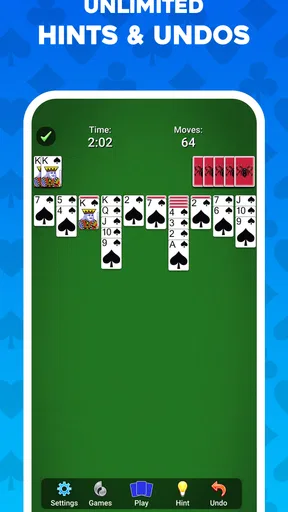
The undo button and hint feature are useful as learning tools, not just emergency exits. If I am unsure about a move, I can use a hint to see a possible direction, then decide whether it actually helps the plan I have in mind. Undo lets me test a decision and compare the board afterward. Used this way, these features teach me to recognize consequences; used automatically after every uncomfortable move, they can make it harder to develop that judgment.
Visuals and Soundtrack
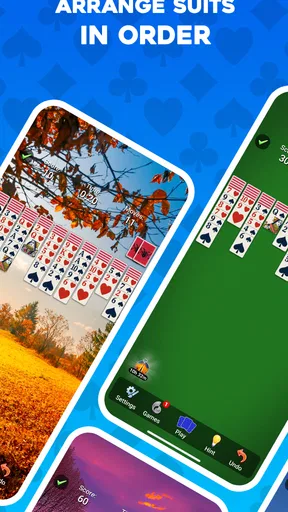
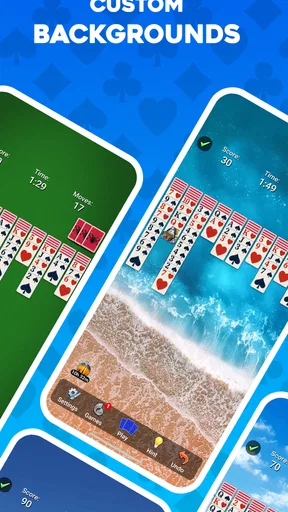
What’s a card game without some eye candy? The visuals in Spider Solitaire: Card Games are crisp and clean, making it a pleasure to play. The cards are easy to read, and the animations are smooth, which adds to the overall experience. Plus, the game offers various backgrounds and card designs, allowing you to customize your playing environment to your liking.
And let’s not forget the soundtrack. The soothing background music is perfect for setting the mood, whether you’re winding down after a long day or killing time during your commute. If you're like me and sometimes prefer silence, you can easily turn off the music and just enjoy the satisfying sound of cards shuffling.
Picking a comfortable way to play
Readable cards matter more here than flashy effects because the board is the whole game. I like to keep the layout easy to scan, especially in a longer session when it is tempting to overlook a card tucked into a column. Trying a different card design can be more than a cosmetic choice if one style is easier for you to distinguish at a glance. The backgrounds give the screen a personal touch, but they do not change the underlying puzzle.
Sound is similarly a matter of preference. Music can make a quiet session feel more relaxed, while turning it off is sensible in shared spaces or when I am listening to something else. The game’s card sounds can still provide a little feedback, but I would not treat audio as necessary to play well. If you use it during a commute, it is better to think of it as a game for waiting safely or sitting down, not something to focus on while walking or driving.
Features Worth Noting
Spider Solitaire isn’t just about playing cards; it’s packed with features that enhance your gaming experience. For starters, the undo button is a lifesaver, letting you correct your mistakes without restarting the entire game. There’s also a hint feature, perfect for when you’re stuck and need a little nudge in the right direction.
The app tracks your statistics too, so you can see how you’re improving over time. Whether it’s your win percentage or the number of games played, having those numbers at your fingertips adds an extra layer of motivation.
What the progress loop does—and does not do
Statistics can give a casual player a reason to notice patterns: perhaps I tend to make careless moves early, or I do better when I slow down. I find them most useful as a personal record rather than a verdict on skill. A single difficult game can affect how a session feels, so I would not let a win percentage decide whether I am enjoying myself. The point is to learn what choices work for me, not to turn every quiet game into a performance test.
There is also a trade-off in the undo and hint tools. They reduce frustration when I have made a clear mistake or genuinely cannot see a route forward, but leaning on them for every move can make a game feel less like solving a puzzle myself. A good middle ground is to play a few moves unaided, then use a hint only when I have looked over the columns and still have no sensible next step.
Purchase context and fair expectations
The game is free to download, with in-app purchases listed from $1.99 to $29.99 per item. That range is useful context if you are deciding whether to try it, but it does not tell me what each purchase contains or whether any particular item is necessary for ordinary play. I would start without spending and only consider a purchase if the app itself makes its value clear to me. The existence of optional purchases is not, by itself, evidence that the card puzzle is unfair.
Spider Solitaire is a solo game, so the usual question of competing against paying opponents is not central to the experience described here. I would judge fairness by whether I can enjoy the core card challenge without feeling pushed to buy something. I cannot draw a conclusion about the exact purchase prompts or their effect on a session from the purchase range alone, so I would avoid assuming either that spending is required or that every item is purely cosmetic.
How it compares with other card-game choices
Compared with a simple one-suit solitaire game, Spider asks me to manage more cards and think harder about how sequences interact. That extra planning is its main advantage if ordinary solitaire feels too familiar. Compared with multiplayer card games, it removes the pressure of waiting on other people or keeping up with a match. The trade-off is that it has no opponent to surprise me; the challenge comes from the layout and my decisions.
It also occupies a different space from card games built around varied rules or frequent new content. If I want a quick, repeatable logic puzzle, this is a natural fit. If I want a changing objective, a social experience, or a competitive ladder, I would choose something designed for that instead. Its strengths are focus and familiarity, not breadth.
My Final Thoughts
So, should you add Spider Solitaire: Card Games to your mobile collection? Absolutely! It’s a fantastic way to pass the time, challenge your mind, and enjoy a classic game with a modern twist. The ease of use, coupled with its challenging gameplay and customizable features, makes it a standout in the card game category.
Whether you’re a casual player or a hardcore solitaire fan, this app has something for everyone. So go ahead, give it a try, and see if you can conquer the spider!
Trust, compatibility, and my verdict
MobilityWare has been making this game available since September 15, 2011, and its current version is 7.8.1.4943. It has a 4.6 average from around 745,000 ratings, with more than 50 million installs and about 85,000 written reviews. Those figures suggest that it has found a large audience, but I would still judge it by whether its straightforward style fits my own habits rather than treating popularity as a guarantee that I will love it.
It is free, rated for Everyone, and the minimum operating-system requirement is version 8.0. That makes it an approachable option for many players, though the operating-system requirement is worth checking before downloading on an older device. The game’s familiar rules and solo format are its clearest strengths; the repeated nature of its puzzle and the purchase range are the main reasons I would pause before recommending it to someone who wants constant novelty or a clearly defined competitive experience.
My trust verdict is positive but measured: I see a recognizable, low-pressure card game with enough difficulty to reward thought, plus optional purchases whose precise contents should be judged in the app rather than guessed from a price range. I would try it if I wanted a reliable way to fill a quiet few minutes, and I would leave it aside if I were looking for a social or rapidly changing game. For the right mood, the appeal is simple: one board, a careful plan, and the satisfaction of seeing the columns finally come together.
Pros
- Intuitive interface enhances user experience.
- Multiple difficulty levels for all players.
- Customizable card decks and backgrounds.
- Offline mode available for uninterrupted play.
- Daily challenges for added engagement.
Cons
- Contains ads that can be intrusive.
- Limited in-game tutorials for beginners.
- No multiplayer mode available.
- Occasional app crashes reported.
- Some features require in-app purchases.
FAQs for Spider Solitaire: Card Games
What features does Spider Solitaire: Card Games offer?
Spider Solitaire: Card Games offers a classic solitaire experience with multiple difficulty levels, customizable card backs, and soothing background themes. The game includes daily challenges, hints, and undo options to enhance gameplay. It also features a statistics tracker that lets you monitor your progress and improve your skills over time.
Is Spider Solitaire: Card Games free to play?
Yes, Spider Solitaire: Card Games is free to download and play. However, it may include optional in-app purchases for premium features or to remove ads. These purchases are not necessary to enjoy the game but can enhance the overall experience by unlocking additional content or providing ad-free gameplay.
What are the system requirements for Spider Solitaire: Card Games?
Spider Solitaire: Card Games is designed to run smoothly on most Android and iOS devices. It requires Android 4.1 or later and iOS 9.0 or later. The app is optimized for both smartphones and tablets, ensuring a seamless experience across different screen sizes and hardware capabilities.
Can I play Spider Solitaire: Card Games offline?
Yes, Spider Solitaire: Card Games can be played offline without an internet connection, making it an excellent option for entertainment during travel or in areas with limited connectivity. However, some features, like daily challenges or syncing progress across devices, might require an internet connection.
How does Spider Solitaire: Card Games handle user data and privacy?
The app adheres to standard privacy policies, collecting minimal user data necessary for gameplay and app improvement. It may gather information like device identifiers for analytics but does not store personal information without consent. Always review the app's privacy policy for detailed information on data handling practices.


